

Images are one of the biggest reasons websites load slowly. You can write clean code, use a fast hosting provider, and still end up with a sluggish website simply because of poorly optimized images. The format you choose matters more than most people realize, and in 2026, you have better options than ever before.
In this guide, we are going to break down three of the most commonly used image formats: PNG, WebP, and AVIF. By the end, you will know exactly which one to use and when, without any technical confusion.
What Are Image Formats and Why Do They Matter
An image format is basically the method used to store and compress visual data in a file. Different formats handle this process in different ways, and those differences have a direct impact on file size, visual quality, and how quickly a browser can load and display the image.
There are two main types of compression you need to understand. Lossy compression reduces the file size by discarding some image data. The result is a smaller file, but if you compress too aggressively, you will notice a drop in quality. Lossless compression reduces the file size without throwing away any image data, so the quality is preserved perfectly, but the files are generally larger.
This distinction matters because choosing the right format for the right situation can dramatically improve how your website performs for visitors.
Overview of PNG
PNG, which stands for Portable Network Graphics, has been around since the late 1990s and is still one of the most widely used formats today.
PNG uses lossless compression, which means every single pixel is preserved exactly as it was when the image was saved. It also supports transparency, making it a popular choice for logos, icons, and graphics that need to sit on top of different backgrounds.
The major advantage of PNG is its quality. You will never see blurry edges, color banding, or compression artifacts the way you sometimes do with other formats. This makes it ideal for anything where precision matters, such as infographics, product screenshots, and UI elements.
However, PNG files are large. A high resolution photograph saved as a PNG can easily be several megabytes. This makes PNG a poor choice for photography, hero images, or any visual where file size is a concern. If you are running an eCommerce store or a content heavy site, relying too heavily on PNG can seriously hurt your page speed scores.
Best use cases for PNG: Logos with transparent backgrounds, icons, screenshots, and simple graphics with flat colors.
Overview of WebP
WebP was developed by Google and released in 2010. It was designed specifically to make images on the web faster without sacrificing too much quality.
WebP supports both lossy and lossless compression, and it also supports transparency and animation. This versatility is one of its biggest strengths. In terms of file size, WebP images are typically 25 to 35 percent smaller than their JPEG or PNG equivalents at the same level of quality.
Browser support for WebP is excellent at this point. All major browsers including Chrome, Firefox, Safari, and Edge support it fully. This was not always the case, but as of 2026, WebP has become a reliable default for most websites.
The main limitation is that WebP does not always outperform AVIF, especially for complex images or at very low file sizes. It is also slightly older technology now, and while it is still very effective, newer formats are beginning to push past it in compression efficiency.
Best use cases for WebP: Blog post images, product images, hero banners, and general web photography where you want a good balance of quality and file size.
If you are working on a WordPress site and want to understand how image format choices connect to overall performance, this guide on WordPress Core Web Vitals optimization goes deeper into the full picture.
Overview of AVIF
AVIF stands for AV1 Image File Format. It is a much newer format, based on the AV1 video codec, and it is the most efficient of the three in terms of compression.
AVIF can achieve significantly smaller file sizes compared to both PNG and WebP, often 50 percent smaller than JPEG at comparable quality. It supports both lossy and lossless compression, wide color gamut, high dynamic range, transparency, and animation.
The results with AVIF can be genuinely impressive. At low file sizes, AVIF tends to retain sharpness and detail better than WebP or JPEG. This makes it particularly useful for high quality photography, product images, and any situation where you want maximum visual impact with minimal file size.
The trade-off is encoding time. AVIF images take longer to compress than WebP or PNG. This is less of an issue if you are using a CDN or image optimization tool that handles it automatically, but it is worth knowing about. Browser support is also very good now, with Chrome, Firefox, and Safari all supporting AVIF. However, some older devices and browsers may still not support it, which is why fallback strategies remain important.
Best use cases for AVIF: High resolution photography, eCommerce product images, hero sections, and any image where you need the smallest possible file size without quality loss.
WebP vs AVIF vs PNG: Key Differences Explained
Let’s put the three formats side by side so you can see the key differences clearly.
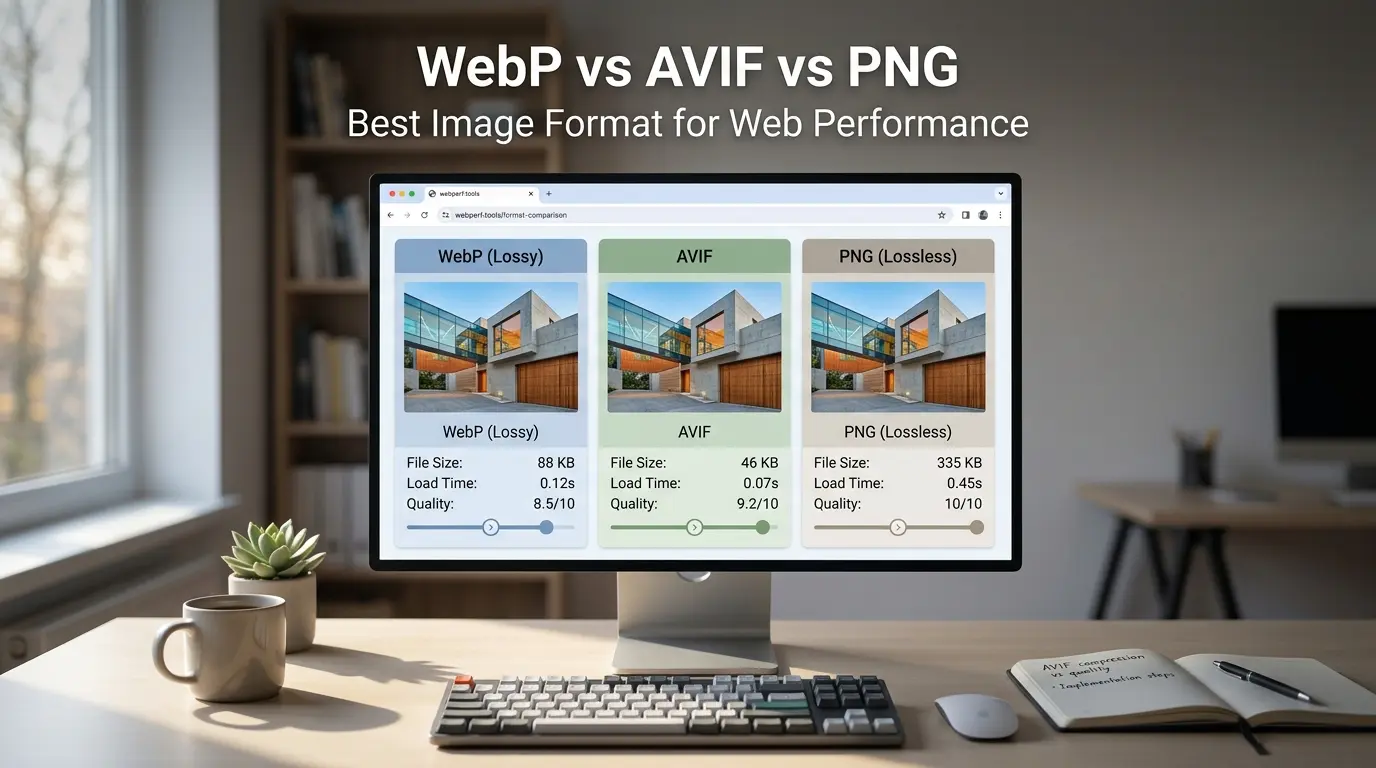
File size: AVIF wins here. It produces the smallest files at high quality, followed by WebP, and then PNG. For a typical photograph, AVIF can be 50 percent smaller than PNG and around 20 percent smaller than WebP.
Image quality: All three formats can look excellent, but PNG is the only one that is truly lossless by default. At equivalent settings, AVIF tends to handle fine detail and gradients better than WebP, especially at lower file sizes.
Transparency support: All three formats support transparency, so this is not a deciding factor.
Animation support: Both WebP and AVIF support animation. PNG technically supports animation through the APNG variant, but it is less commonly used. If you need animated images, WebP is the most widely supported option.
Browser compatibility: PNG works everywhere. WebP works in all modern browsers. AVIF works in all modern browsers as of 2026, but older browsers may need a fallback.
Performance Impact on Websites
Page speed is not just about convenience. It is directly tied to how users experience your website and how search engines rank it.
Google uses Core Web Vitals as a significant ranking factor. Metrics like Largest Contentful Paint (LCP) measure how quickly the main visual content of a page loads. If your hero image or product photo is a heavy PNG or JPEG, it will take longer to load and push your LCP score down.
Switching from PNG or JPEG to WebP or AVIF can reduce your image payload significantly. Less data to transfer means faster loading, better Core Web Vitals scores, and a smoother experience for visitors, especially on mobile connections.
The impact is even greater for mobile users, who often have slower connections and less processing power. Lighter images mean your site stays fast even when the network is not.
For a broader look at how to speed up your site beyond just images, take a look at this resource on how to speed up your WordPress website which covers caching, hosting, and other performance factors.
SEO Benefits of Using Modern Image Formats
Faster websites rank better. That is the simple version of the relationship between image optimization and SEO.
When your pages load quickly, Google can crawl them more efficiently. Users are less likely to leave before the page finishes loading, which reduces your bounce rate. Lower bounce rates signal to search engines that your content is relevant and worth ranking. All of this works in your favor when you use appropriately sized and formatted images.
Mobile performance is especially important. Google primarily indexes the mobile version of your website, so if your images are slowing things down on phones and tablets, that directly affects your search rankings.
Beyond rankings, faster pages also contribute to better user experience. A visitor who finds your site fast and easy to use is more likely to stay, browse more pages, and convert. This is especially true for eCommerce stores where every second of load time has a measurable impact on revenue. If you want to understand how performance connects to sales, this post on how UX design impacts sales in eCommerce is worth a read.
Browser Support and Fallback Strategies
PNG has universal support, so there is nothing to worry about there. WebP is supported by all modern browsers and has been for several years. AVIF is supported across all major modern browsers, but if you are concerned about older or niche browsers, it is smart to implement a fallback.
The HTML <picture> element is the standard way to handle this. You can specify AVIF as the primary source, WebP as the fallback, and PNG or JPEG as the final fallback for any browser that does not support the newer formats. This approach is called progressive enhancement and it ensures every visitor gets the best format their browser can handle.
html
<picture>
  <source srcset="image.avif" type="image/avif">
  <source srcset="image.webp" type="image/webp">
  <img src="image.png" alt="Description">
</picture>
This setup takes about 30 seconds to implement and completely solves the compatibility problem.
When to Use PNG vs WebP vs AVIF
Here is a practical guide based on common scenarios:
Use PNG when: You need a logo or icon with a transparent background, you are saving a screenshot, or you are working with flat color graphics where quality is the top priority and file size is not a concern.
Use WebP when: You want a well supported, reliable format for general web images. WebP is a great default for blog images, banners, and product photos when you want strong browser compatibility and meaningful file size savings.
Use AVIF when: You are dealing with high quality photography, eCommerce product images, or any situation where you need the smallest file size possible without sacrificing visual quality. AVIF is the best option for performance focused sites in 2026.
Conversion and Optimization Tools
You do not need to convert images manually. There are plenty of tools and plugins that handle this automatically.
For WordPress, plugins like Imagify, ShortPixel, and Smush can convert your existing images to WebP or AVIF and serve the right format to each visitor automatically. If you are looking for plugin recommendations more broadly, this list of best WordPress plugins for business websites in 2026 includes some solid options.
For Shopify, the platform now serves WebP automatically for product images in most themes. You can also use apps from the Shopify App Store for more advanced optimization.
For manual conversion, tools like Squoosh (browser based), FFMPEG (command line), and Cloudinary all support WebP and AVIF output.
Common Mistakes to Avoid
One of the most common mistakes is over-compressing images. Yes, smaller files load faster, but if you push compression too far, images will look blurry or pixelated, and that reflects poorly on your brand. Find the sweet spot between quality and file size.
Another mistake is using PNG for everything. PNG is excellent for specific use cases but using it for photographs or large background images will slow your site down significantly.
Finally, do not ignore fallback formats. Even in 2026, not every user is on a modern browser. Setting up the <picture> element fallback takes minimal effort and ensures no one sees a broken image.
The Future of Image Formats
AVIF is clearly gaining momentum. More CDN providers, CMS platforms, and image optimization tools are adding support for it every year. Its compression efficiency and quality make it the most technically advanced option currently available.
WebP is not going anywhere. It has a massive installed base, great tooling, and near universal browser support. For most websites, WebP remains a practical and reliable choice.
There are also newer formats like JPEG XL on the horizon, though browser support is still limited. For now, AVIF and WebP are the formats to focus on.
Final Verdict: Which Format Should You Choose
If you want a simple decision guide:
Choose PNG for logos, icons, and graphics with transparency where quality is the priority and file size is secondary.
Choose WebP as your default for general web images if you want maximum browser compatibility with strong performance.
Choose AVIF for photography, product images, and hero sections where you want the best compression and highest quality, especially on performance focused sites.
The ideal setup for most websites is to serve AVIF where supported, fall back to WebP, and use PNG only where transparency or exact color accuracy is required.
If you want help implementing any of this for your website, feel free to check out our web design and development services.
Conclusion
Choosing the right image format is one of the simplest and most impactful things you can do for your website. PNG is reliable but heavy. WebP is fast and versatile. AVIF is the new standard for performance focused websites in 2026.
The takeaway is straightforward: use the right format for the right situation, implement proper fallbacks, and let image optimization tools do the heavy lifting. Your pages will load faster, your search rankings will improve, and your visitors will have a better experience across the board.