

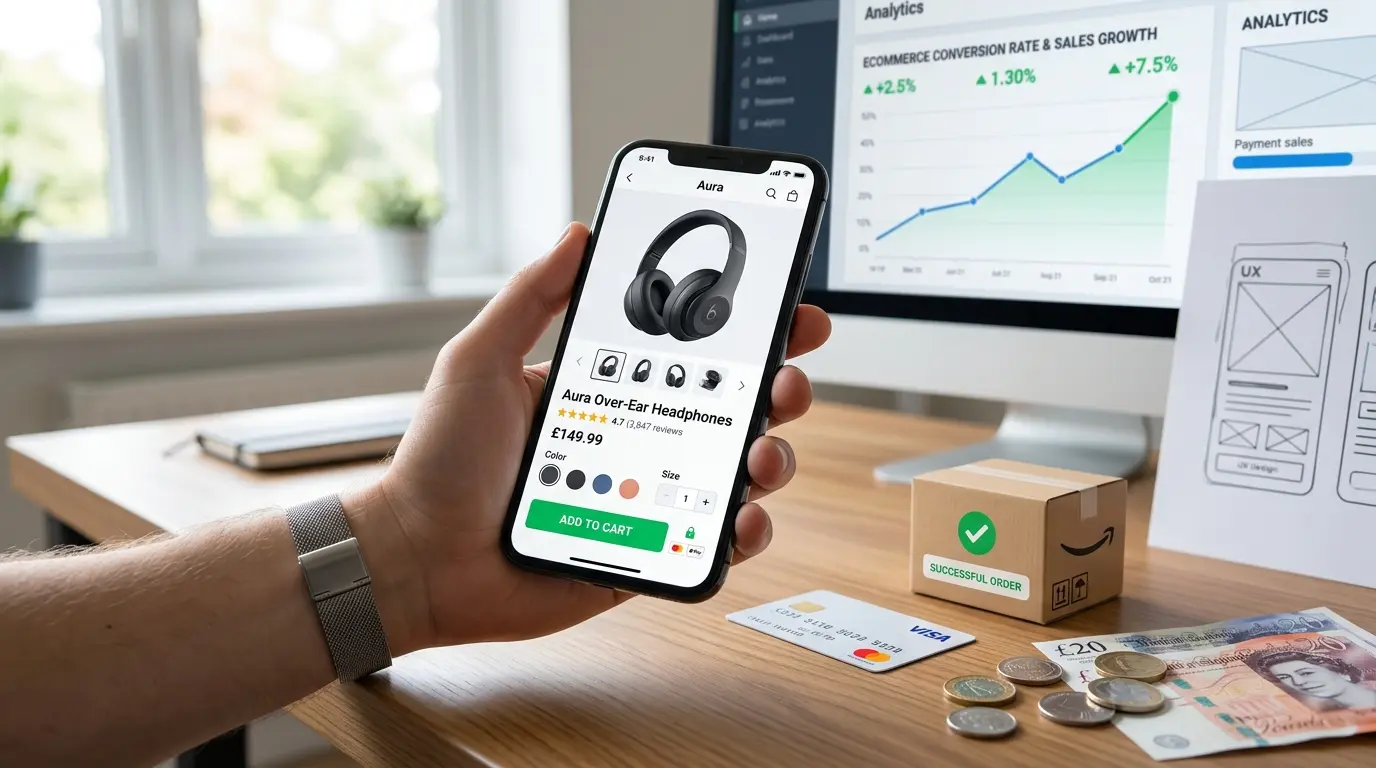
The Direct Revenue Relationship Between UX and Sales
User experience design in eCommerce is not primarily about aesthetics, though appearance matters. It is fundamentally about removing the obstacles that stand between a visitor’s intent to buy and a completed purchase. Every unnecessary step, every confusing label, every moment of uncertainty, and every piece of information the customer wanted but could not find is an obstacle. Obstacles reduce conversions.
The research on this relationship is unambiguous and the numbers are striking. The Baymard Institute, which runs the world’s largest ongoing eCommerce usability research programme, has found that the average large eCommerce site can increase its conversion rate by 35 percent through better checkout UX alone. That figure does not account for improvements to product discovery, product pages, or mobile experience. The total addressable improvement across the entire purchase journey is substantially larger.
Translating this into business terms: for an eCommerce store generating £500,000 per year, a 35 percent improvement in checkout conversion from UX improvements represents £175,000 in additional revenue from the same traffic. The cost of a thorough UX audit and implementation is typically a fraction of this figure, making eCommerce UX improvement one of the highest-return investments available to an online retailer.
The following sections work through each phase of the eCommerce journey in order, from a visitor’s first arrival through to post-purchase, identifying the specific UX decisions that most directly affect whether that journey ends in a sale.
Phase 1: Navigation and Product Discovery
A visitor cannot buy what they cannot find. Product discovery, the process by which a visitor moves from your homepage to a specific product they intend to purchase, is the phase of the customer journey that receives the least attention and causes the most abandonment.
Navigation Structure and Clarity
Your top-level navigation should reflect how customers think about your products, not how your business is internally organised. A clothing retailer that organises its navigation by brand supplier rather than by clothing type (Tops, Trousers, Dresses, Accessories) is forcing customers to learn the store’s internal taxonomy rather than using their own mental model.
Test your navigation structure by asking five people who represent your target customer to find a specific product on your site without guidance. If they struggle, hesitate, or take unexpected paths, the navigation structure does not match customer mental models. Card sorting exercises with real customers are the most reliable way to discover what navigation structure will work for your specific audience.
Search Functionality
Visitors who use site search have purchase intent that is typically significantly higher than those who browse. They know what they want. A search bar that returns poor results, does not handle spelling variations, and cannot interpret natural language queries loses high-intent customers at the most valuable moment in their journey.
Audit your search by entering the ten most common search terms your customers use (available in Google Analytics Site Search reports or Shopify’s Search Analytics). If the results for those queries are poor, irrelevant, or empty, fixing your search quality is one of the highest-priority UX improvements available to your store.
Shopify’s native Search and Discovery app and WordPress plugins like SearchWP provide significantly better search quality than default WooCommerce or Shopify search for stores with large product catalogues. For stores with more than 1,000 products, investing in a dedicated search solution returns its cost quickly.
Filtering and Faceted Navigation
On collection pages with more than 20 products, customers need filtering to narrow down to relevant products without scrolling through everything. Filtering should be available based on the attributes customers actually use to make decisions: size, colour, price range, material, brand, and any category-specific attribute that is genuinely decision-relevant.
The most common filtering mistakes are providing too many filter options (overwhelming), providing the wrong filter options (irrelevant to how customers actually choose), and implementing filtering that requires a full page reload (slow and friction-creating). Use Shopify’s Search and Discovery or a plugin like WooCommerce Product Filters for client-side filtering that updates instantly without page reloads.
Cross-Selling and Related Products
Customers who land on a product page after a search or a campaign click may not find exactly what they needed. Related products, complementary items, and recently viewed products give customers paths forward when their first product is not quite right, reducing the bounce rate from product pages and increasing the average number of products viewed per session.
The effectiveness of related product recommendations depends entirely on relevance. Generic recently viewed carousels that show unrelated items add visual noise without value. Algorithm-driven recommendations that show genuinely complementary products based on purchase history and product relationships convert significantly better.
Phase 2: Product Page Design and Conversion
The product page is where the purchase decision is made. Every element on a product page either contributes to the customer’s confidence that this is the right product for them, or it introduces doubt that delays or prevents the purchase.
Product Photography Quality and Completeness
Product photography is the single highest-impact element on a product page for most eCommerce stores. Online shoppers cannot touch, smell, or try on products. Photography is their only sensory input beyond text. Images that are unclear, show the product from too few angles, provide no sense of scale, or fail to show important details (texture, material quality, hardware finishes) leave customers with unanswered questions that become reasons not to buy.
The investment threshold for professional product photography has a clear return: a Baymard study found that 56 percent of product page users explicitly requested more images from additional angles, and that zoom functionality was actively used by a large proportion of users who went on to make a purchase. Users who zoom are in the evaluation phase of their decision. Enabling them to get the detail they need is directly correlated with purchase completion.
Minimum product photography standards for a competitive eCommerce product page: at least four images showing different angles, a lifestyle or context image showing the product in use, a detail shot highlighting quality-indicating features, and ideally a scale reference image showing the product’s size relative to a familiar object.
Product Descriptions That Answer the Right Questions
Product descriptions on most eCommerce stores are written from the perspective of the seller (features and specifications) rather than the perspective of the buyer (what problem does this solve and why is this product the right solution). These are different things.
A good product description starts by addressing the primary use case: who is this for and what will it help them do? It then covers the features that matter for that use case, addresses the most common objections or concerns a customer might have, and closes with a clear statement of what differentiates this product from alternatives.
For most products, a format that combines a short benefit-focused opening paragraph, a bulleted list of key specifications and features, and a short section addressing common questions outperforms pure specification listing or pure marketing copy.
Pricing Clarity and Trust
Price display on product pages must be unambiguous. The final price the customer will pay should be visible and clearly stated without requiring them to start checkout to discover taxes, shipping costs, or additional fees. Hidden costs revealed at checkout are the second leading cause of cart abandonment, according to Baymard research.
Where delivery costs apply, show them clearly on the product page or provide a delivery cost calculator. Where taxes are not included in displayed prices, show the tax-inclusive price prominently. Where a product has a sale or promotional price, show both the original price and the discounted price with enough context that the discount is credible rather than appearing manufactured.
Variant Selection and Availability Clarity
For products with variants (sizes, colours, materials), the variant selection interface is a frequent source of friction. Customers who are uncertain whether their size is available, which colour a swatch actually represents, or how to select the right configuration will abandon rather than take the risk of ordering something wrong.
Best practice for variant selection: show only available variants as selectable, clearly mark out-of-stock options as Out of Stock rather than hiding them entirely (hiding out-of-stock variants frustrates customers who came specifically for that variant), use actual colour swatches rather than text labels for colour selection, and show size guide information inline on the product page rather than requiring a separate page visit.
For clothing and footwear, an inline size guide that does not require leaving the product page is one of the highest-impact UX improvements available. Customers who cannot answer the question am I the right size for this without leaving the page frequently abandon rather than risk the purchase and the return process.
Social Proof: Reviews and Ratings
Purchase decisions on eCommerce stores are heavily influenced by the experiences of previous customers. A product with 50 reviews averaging 4.3 stars consistently outconverts an equivalent product with no reviews, even when the unreviewed product is cheaper. The social proof provided by other customers’ experiences reduces the perceived risk of buying from an unfamiliar brand or trying an unfamiliar product.
Critical details of review implementation that are commonly missed: reviews must be visible without scrolling to the bottom of a long product page (a summary rating near the top with a link to the full reviews section), review content must be substantive enough to answer pre-purchase questions, and negative reviews handled well (acknowledged, responded to professionally) build more trust than an implausible all-five-star rating.
Product Page Checklist
Four or more images showing multiple angles, a lifestyle context, and product details
Benefit-focused description opening, followed by key specifications
Final price clearly displayed including any taxes or fees
Variant selection showing availability clearly, with size guide inline
Star rating summary visible near the top of the page
At least one trust signal (returns policy, security badge, authenticity guarantee) near the Add to Cart button
Phase 3: The Add-to-Cart Experience
The moment a customer clicks Add to Cart, they have made a purchase intent decision. How your store handles the transition from product browsing to checkout initiation determines whether that intent is maintained or whether the customer loses momentum and abandons.
Cart Feedback and Confirmation
When a customer clicks Add to Cart and nothing visibly changes, a significant percentage will wonder whether the action worked. This uncertainty is a conversion-killing friction point that is completely preventable with clear feedback design.
The add-to-cart confirmation should be immediate and unambiguous: the cart count in the navigation should update, a visual feedback animation should confirm the action, and the customer should be given a clear, easy path to either continue shopping or proceed to checkout. A mini-cart drawer that slides in showing the just-added item and the cart total provides all of this simultaneously without redirecting the customer away from the product page.
What the add-to-cart confirmation should not do: take the customer directly to the cart page unless they specifically indicate they want to checkout immediately. Interrupting the shopping session with a full cart page redirect increases friction for customers who want to continue browsing, which is the majority of customers on any multi-product store.
Cart Page Design
The cart page is the final staging point before checkout. Customers revisit their cart to review their order, often with a specific intent to check prices, verify quantities, or look for a discount code field. A cart page that is cluttered, slow to load, or difficult to modify creates doubt at a critical moment.
Cart page essentials: a clear, editable list of items with quantity adjustment and removal, an order summary showing the subtotal and estimated delivery cost, a visible and functional discount code field, and a prominent, high-contrast checkout button. Anything that adds visual complexity without serving these needs is a distraction.
The one element that does consistently improve cart page conversion when implemented thoughtfully is a cross-sell or frequently bought together section. Customers who are already in buying mode are the most receptive audience for additional product suggestions. The recommendations must be genuinely relevant to the items in their cart.
Phase 4: Checkout Design and Friction Reduction
Checkout abandonment is where the most documented and largest revenue losses occur in eCommerce UX. Baymard’s research found that 69 percent of shopping carts are abandoned, and that UX-preventable issues account for the majority of that abandonment.
Guest Checkout Is Non-Negotiable
Requiring customers to create an account before they can complete a purchase is the single most damaging checkout UX decision a store can make. First-time customers who are asked to create an account before checkout have not yet established a relationship with the store, have no existing account to log into, and are being asked to invest time and share data before they have received any value.
Baymard research consistently shows that account creation requirements cause approximately 24 percent of customers to abandon checkout. That is nearly one in four customers who intended to buy but were stopped by a registration gate. Offering guest checkout as the default path, with account creation available optionally at the post-purchase confirmation page, removes this barrier entirely.
Both WooCommerce and Shopify support guest checkout. On WooCommerce, enable it at WooCommerce, then Settings, then Accounts and Privacy. On Shopify, it is enabled by default but can be misconfigured. Verify guest checkout is available on your store right now.
Form Field Count and Cognitive Load
Every additional form field in a checkout reduces the completion rate by a small but measurable amount. The cumulative effect of asking for more information than is genuinely necessary is significant. Audit your checkout form for fields that are not strictly required to complete the transaction.
Common checkout form fields that are unnecessary or can be optional: company name (for B2C stores), a second address line (make it optional and collapsed by default), separate billing address when it is the same as shipping (provide a Same as shipping address checkbox that pre-fills it), phone number when email is sufficient for order communication (make it optional with a clear explanation of why it might be needed).
The shipping address fields themselves (name, street, city, postcode, country) are irreducible. Everything beyond these is a candidate for removal or optionalisation.
Progress Indicators in Multi-Step Checkout
Customers who can see where they are in a checkout process and how much remains have significantly lower abandonment rates at each step than customers who face an apparently endless sequence of pages. A clear progress indicator showing Cart, Shipping, Payment, Confirmation, with the current step highlighted, reduces the uncertainty that drives checkout abandonment.
The most effective progress indicators show completed steps with a checkmark, the current step prominently highlighted, and remaining steps visible but deprioritised. This gives customers a sense of progress (they have already done something) and of proximity to the goal (the end is visible from where they are).
Payment Options and Trust at Payment Step
The payment step is where a customer’s trust concerns are at their peak. They are about to give you their payment details. The UX decisions at this step either reinforce or undermine the confidence they need to complete that action.
Payment options that customers expect to see and whose absence causes abandonment: major credit and debit cards as the baseline, Apple Pay and Google Pay for the significant proportion of mobile shoppers who prefer device-native payment, and optionally buy now pay later options (Klarna, Afterpay, or regional equivalents) for purchases where payment flexibility matters.
Security signals that belong near the payment form: SSL padlock indicator, recognised security badges, and a brief statement of how payment data is handled. These do not need to be large or aggressive. A subtle, well-placed trust signal at the moment of payment entry consistently outperforms its absence.
Error Handling and Validation
Checkout form errors are a major driver of abandonment when handled poorly. A customer who submits a checkout form with a validation error and receives a generic message at the top of the page that does not identify which field failed, or which forces them to refill all fields from scratch, is likely to abandon rather than troubleshoot.
Inline validation (feedback appearing as each field is completed, not only on submission), specific error messages that identify the exact problem and how to fix it, and preservation of correctly entered data after a validation error are the three UX requirements for checkout form error handling.
Phase 5: Mobile eCommerce UX
In 2026, more than 70 percent of eCommerce traffic comes from mobile devices on most stores, but mobile conversion rates remain significantly lower than desktop conversion rates on the majority of eCommerce sites. This gap is almost entirely attributable to poor mobile UX, not to any inherent unwillingness of mobile users to purchase.
Touch Target Size and Spacing
The most basic mobile UX failure on eCommerce sites is interactive elements that are too small to tap reliably. Google’s guidelines recommend a minimum touch target size of 48 by 48 pixels for any interactive element. Product image thumbnails that require pinch-to-zoom to see detail, size selection swatches that are 24 pixels wide, and form fields that require precise tapping to focus all create frustrating experiences on touch screens.
Audit your mobile product page, cart, and checkout on an actual physical device (not browser emulation) and tap every interactive element. Any element that requires more than one tap to hit reliably is undersized and needs to be enlarged.
Mobile Navigation Patterns
Desktop navigation patterns (horizontal navigation bars, hover-triggered dropdown menus, multi-level nested menus) do not translate well to mobile. Mobile navigation should be designed specifically for touch interaction: a persistent bottom navigation bar for the most critical destinations (Home, Search, Cart, Account), a hamburger menu for secondary navigation, and a search bar that is immediately accessible without scrolling.
Sticky bottom navigation bars, used by the majority of leading mobile eCommerce apps, outperform header hamburger menus for navigation engagement because the thumb naturally rests near the bottom of the screen on a held phone. Destinations at the bottom of the screen are reachable with one thumb without repositioning the phone.
Mobile Checkout Specific Design
Mobile checkout abandonment is higher than desktop checkout abandonment on most stores, and the reasons are primarily UX-related: small form fields that are difficult to type in, keyboards that cover the active form field, payment forms that do not trigger the correct keyboard type (numeric keyboard for card numbers, email keyboard for email fields), and checkout pages that are not optimised for single-column layout.
Mobile checkout requirements: all form fields must be large enough to tap and type in comfortably, the active field must always be visible above the keyboard, input type attributes must be set correctly to trigger the appropriate keyboard type (inputmode=’numeric’ for card numbers, type=’email’ for email fields), and Apple Pay and Google Pay must be prominently available as single-tap payment options that eliminate form entry entirely.
Single-tap payment options deserve particular attention on mobile. A customer who would have to type their card number on a small keyboard will use Apple Pay or Google Pay if it is available. The tap-to-pay conversion rate from these options on mobile consistently exceeds card entry completion rates. Make them the primary payment option on mobile, not a secondary one buried below the card fields.
Phase 6: Trust Signals and Credibility Design
Trust is a prerequisite for conversion in eCommerce, and it is particularly important for first-time visitors who have no prior relationship with your store. Every element of your store’s design either contributes to or undermines the visitor’s confidence that it is safe to purchase from you.
Trust Signals by Page Type
Different trust signals are relevant at different points in the purchase journey:
- Homepage: prominently visible security certifications, recognised payment logos, customer review summaries, press mentions, and the number of customers served
- Product pages: individual product reviews, Q and A sections, returns policy summary, delivery time estimate, and security badge near Add to Cart
- Cart page: returns policy reminder, payment security statement, and a brief note about order tracking
- Checkout: SSL padlock, accepted payment logos, specific privacy commitment, and returns guarantee near the payment step
Social Proof at Scale
User-generated content, review volume, and aggregate ratings are increasingly powerful trust signals as customer scepticism of brand-created content has grown. A store with 50,000 verified customer reviews has substantially more trust currency than one with ten curated testimonials, even if those ten testimonials are more eloquent.
Strategies for accumulating social proof quickly: automated post-purchase review request emails sent three to five days after delivery, verified purchase badges on reviews, photo reviews as a request option in the email, and displaying review volume prominently (as in 4.7 stars from 2,847 reviews rather than just 4.7 stars).
Returns Policy as a UX Tool
A generous, clearly stated returns policy is one of the most effective trust signals available to an eCommerce store because it removes one of the fundamental risks of online purchasing: the risk of being stuck with a product that does not meet expectations. ASOS’s free returns policy is widely credited as a significant contributor to their growth because it eliminated one of the primary barriers to purchasing clothing online.
Make your returns policy prominent, visible on product pages, and written in plain language. Avoid burying it in a long legal document linked from the footer. A brief, customer-friendly summary of your returns policy near the Add to Cart button on product pages consistently improves conversion rates for stores with genuinely customer-friendly return policies.
Phase 7: Site Speed as a UX Factor
Site speed is not a separate technical concern from UX design. It is a UX factor. A page that loads in four seconds provides a materially worse user experience than one that loads in one second, regardless of how well the design is executed. The psychological experience of waiting for a slow page is identical to the experience of waiting in a slow queue: it creates frustration, signals disrespect for the customer’s time, and increases the probability of leaving.
Google’s research found that as page load time increases from one second to three seconds, the probability of a visitor leaving before the page loads increases by 32 percent. From one second to five seconds, it increases by 90 percent. These are not users who saw a page they did not want. They are users who never gave the page a chance because it was too slow.
The LCP Connection to Conversion
Largest Contentful Paint, Google’s metric for when the main content of a page becomes visible, is the single Core Web Vitals metric most directly connected to eCommerce conversion rate. LCP measures the experience of the critical first impression: how quickly does a visitor see the product image or the page content they came for?
Google’s threshold for a Good LCP is under 2.5 seconds. For eCommerce product pages, achieving this threshold requires optimised product photography (covered in detail in our image optimisation guide), correctly implemented image loading priority, and a server that delivers the initial HTML quickly.
For a complete, platform-specific guide to LCP and Core Web Vitals improvement, our WordPress Core Web Vitals Optimisation Guide for 2026 covers every technical layer.
Phase 8: Personalisation and Returning Customer Experience
The best eCommerce UX is personalised to the individual customer. A returning customer who is immediately shown their most recently viewed products, whose preferred size is pre-selected in size selectors, and whose payment details are saved for one-click reorder is having a measurably better experience than one who must rediscover products and re-enter details on every visit.
Account-Based Personalisation
Encouraging customers to create accounts, after they have completed their first purchase as a guest, unlocks a range of UX improvements that are impossible for anonymous visitors: saved addresses, stored payment methods, order history accessible at any time, personalised recommendations based on purchase history, and loyalty status.
The key is timing: ask customers to create an account at the post-purchase confirmation step, not before checkout. At the confirmation step, the customer has just had a positive interaction with your brand (a completed purchase), their details are already entered and can be used to pre-fill the account creation form, and they have the clearest motivation to want the convenience features an account offers.
Wishlist and Save for Later Functionality
Wish lists serve a different but complementary function to the cart. They allow customers to save products they are interested in but not yet ready to purchase, creating a persistent record of purchase intent that they can return to. For high-consideration purchases (furniture, electronics, jewellery), wish lists are a critical feature because the purchase decision cycle spans days or weeks rather than minutes.
Email triggered by wishlist inactivity (a saved item is about to go out of stock, or the price of a saved item has been reduced) is one of the highest-converting email types in eCommerce because it reaches customers at exactly the moment when the obstacle to their previously-expressed purchase intent has been reduced.
Personalised Recommendations That Actually Convert
The difference between product recommendations that convert and those that are ignored is relevance. Generic bestseller lists have minimal impact on customers who already know what they want. Recommendations based on the specific products currently being viewed or recently purchased, presented in a relevant context (customers who bought this also bought or complete the look) convert at significantly higher rates.
For WooCommerce stores, the Frequently Bought Together plugin and YITH WooCommerce Wishlist implement these recommendation patterns with good conversion results when properly configured. For Shopify stores, Shopify’s native product recommendation API and apps like LimeSpot and Frequently Bought Together provide similar functionality.
Phase 9: Post-Purchase Experience and Repeat Conversion
The purchase confirmation is not the end of the customer journey. It is the beginning of the customer relationship. How you treat customers after their first purchase largely determines whether they become repeat customers, and repeat customers are the foundation of a profitable eCommerce business.
Order Confirmation and Communication
The order confirmation email is one of the most-opened emails in eCommerce because customers are actively looking for it to confirm their order was received. This is prime real estate for communicating what happens next, setting delivery expectations, and introducing the customer to your broader product range for their next visit.
An effective order confirmation email: confirms the order number and items ordered clearly at the top, provides a realistic delivery estimate, explains how the customer will receive tracking information, includes a brief restatement of the returns policy so the customer knows what to do if they need it, and optionally includes a related product recommendation relevant to what they purchased.
Post-Purchase Review Request
Timing the review request email correctly is the single most important variable in review acquisition rate. Sending too early (before the product has arrived) produces unhelpful reviews and customer frustration. Sending too late (two weeks after delivery) misses the window when the experience is fresh and motivation to review is highest.
Best timing: three to five days after the estimated delivery date. This ensures the product has arrived and been used, the customer’s experience is recent, and the request arrives when they are likely to have a formed opinion. The email should be short, personal in tone, and link directly to the review submission form rather than requiring navigation through the account portal.
Loyalty Programmes and Repeat Purchase Incentives
Loyalty programmes with meaningful rewards that accumulate toward a recognisable benefit (a discount, a free product, early access to sales) increase repeat purchase rates by providing a concrete reason to return beyond the general appeal of your product range. The key word is meaningful: points systems where one pound of spend yields a fraction of a penny in reward value are not meaningful and do not significantly affect behaviour.
The most effective loyalty programme structure for small to medium eCommerce businesses is a straightforward cashback model (spend £100, earn £5 credit) rather than a complex tiered points system. Simple programmes are easier for customers to understand and therefore more motivating.
Measuring UX Impact on Sales: Key Metrics and Testing
Knowing which UX decisions improve conversions requires measurement. Design intuition and best practices provide direction, but the only reliable answer to whether a specific UX change improved conversions on your specific store with your specific customers is a properly run experiment.
The Metrics That Matter
These are the primary metrics to track when evaluating eCommerce UX improvements:
- Conversion rate: Sessions that resulted in a purchase divided by total sessions. The master metric but also the noisiest. Small UX changes often produce effects that require large sample sizes to detect in the overall conversion rate.
- Add-to-cart rate: The percentage of product page views that result in an add-to-cart action. More sensitive to product page UX changes than the overall conversion rate because it reflects only one step in the funnel.
- Checkout completion rate: The percentage of checkout initiations that result in a completed order. This metric reflects checkout UX quality most directly.
- Bounce rate by page type: High bounce rates on product pages or collection pages indicate that customers are not finding what they came for, which is a navigation and product discovery UX problem.
- Cart abandonment rate: The percentage of carts created that never resulted in a checkout initiation. High cart abandonment relative to checkout abandonment suggests the cart page or the price transparency at that stage is creating doubt.
A/B Testing for UX Changes
A/B testing divides your traffic between a control version of a page (the current design) and a treatment version (the new design), measures the conversion impact of each, and determines with statistical confidence whether the treatment outperforms the control.
Run A/B tests on one change at a time. If you change the product image size, the description format, and the Add to Cart button colour simultaneously, you cannot attribute the conversion change to any specific element. Single-variable tests produce actionable knowledge. Multi-variable tests produce noise.
Run each test for a minimum of two weeks to capture variation across different days of the week, and until the test reaches statistical significance at 95 percent confidence. Calling tests early based on encouraging interim results is a common mistake that leads to implementing changes that performed well by chance in a short window rather than genuinely.
Heatmaps and Session Recording for Qualitative Insight
A/B testing tells you whether a change improved conversions. Heatmaps and session recordings tell you why customers are behaving as they are, which is the information you need to generate good hypotheses for what to test.
Look for heatmap patterns that reveal UX problems: clicks on non-interactive elements (a product image that customers are trying to click but that is not clickable), rage clicks on buttons that are not responding, and scroll depth patterns that show customers abandoning before they reach critical page elements like the Add to Cart button or the reviews section.
Session recordings of customers who abandoned at the checkout step are particularly valuable. Watch what happens in the moments before abandonment. Are they stopping at a form field? Hovering over the price? Opening and closing the cart? Each of these behaviours points to a specific UX issue that can be tested and resolved.
UX Testing Priority Order
Start your UX testing on the pages with the highest traffic and the highest abandonment rates. These are typically: product pages (add-to-cart abandonment), the checkout first step (especially guest versus account decisions), and the checkout payment step.
A 1 percent improvement in checkout completion rate on a page that receives 10,000 checkout initiations per month is worth 100 additional orders per month. The same 1 percent improvement on a page receiving 100 initiations is worth 1 additional order. Test where the traffic is.
Frequently Asked Questions
Q1. What is the average eCommerce conversion rate and what should I be targeting?
The average eCommerce conversion rate globally is approximately 2 to 3 percent across all sectors. Strong performing stores in competitive categories typically achieve 3 to 5 percent. Certain sectors with high purchase intent and low consideration purchases (consumables, replenishment products) can achieve 5 to 8 percent. Rather than targeting an industry average, compare your current conversion rate to your own historical performance and set improvement targets based on what is currently limiting your conversion at the highest-traffic abandonment points in your specific funnel.
Q2. Should I prioritise UX improvements or paid advertising for revenue growth?
Paid advertising brings more visitors. UX improvements convert more of the visitors you already have. The return on UX investment is typically higher in the short term because you are not paying per click for the additional conversions that come from a better converting site. The two are complementary rather than competing: a better converting site makes every pound spent on advertising more efficient. The order of priority should be: fix the most critical UX conversion problems first, then scale traffic once you know your conversion funnel is working.
Q3. How do I know which UX problems are costing me the most money?
Map your checkout funnel in Google Analytics or Shopify Analytics to see the percentage of visitors who drop off at each stage. The stage with the highest drop-off rate is your most expensive UX problem. Within that stage, use session recordings and heatmaps to identify the specific behavioural patterns that indicate friction. Address the highest-drop-off stages first in priority order.
Q4. Is a custom-designed theme always better than a premium Shopify or WooCommerce theme?
Not necessarily. Well-designed premium themes like Shopify’s Dawn and established premium themes on ThemeForest incorporate years of eCommerce UX best practices and are thoroughly tested across devices and browsers. A custom theme built without deep eCommerce UX expertise can easily underperform a quality premium theme. The case for a custom theme is strong when your specific business requirements cannot be met within a premium theme, or when brand differentiation at the design level is a genuine competitive requirement. It is not automatically stronger simply because custom implies better.
Q5. How much does checkout UX improvement typically improve conversion rates?
According to Baymard Institute research, the average large eCommerce site can improve checkout conversion by approximately 35 percent through UX improvements alone, without changing pricing, products, or advertising. This figure applies to checkout specifically. The highest single-impact changes are typically: removing required account creation, reducing form field count, improving inline error handling, and adding Apple Pay and Google Pay as prominent mobile payment options. Individual test results vary significantly, but the directional evidence for checkout UX improvement is consistent across studies.
Q6. What tools do I need to start improving eCommerce UX?
The minimum toolkit for eCommerce UX improvement consists of: Google Analytics 4 or Shopify Analytics for funnel conversion data, a heatmap and session recording tool (Hotjar free plan, Microsoft Clarity which is free, or FullStory), and an A/B testing tool (Google Optimize via GA4, VWO, or Optimizely). This toolkit costs nothing to a few hundred pounds per month and provides all the quantitative and qualitative data needed to make evidence-based UX improvements.
Conclusion
UX design is not a one-time project. It is a continuous practice of measuring where customers encounter friction, forming hypotheses about how to reduce that friction, testing those hypotheses, and implementing what works. The stores that consistently outperform their competition in conversion rate are the ones that have built this practice into their operations.
The journey from visitor to loyal repeat customer spans many UX moments: finding the right product, trusting the product page, adding to cart with confidence, completing checkout without frustration, and returning because the overall experience was worth repeating. Each of those moments is either designed deliberately or left to chance.
Start with the highest-traffic, highest-abandonment stage of your funnel. Instrument it with analytics and session recording. Identify the specific friction. Test a solution. Measure the result. Then move to the next stage. Compounding small improvements across every stage of the purchase journey produces conversion rates that are measurably better than starting from any single large redesign.